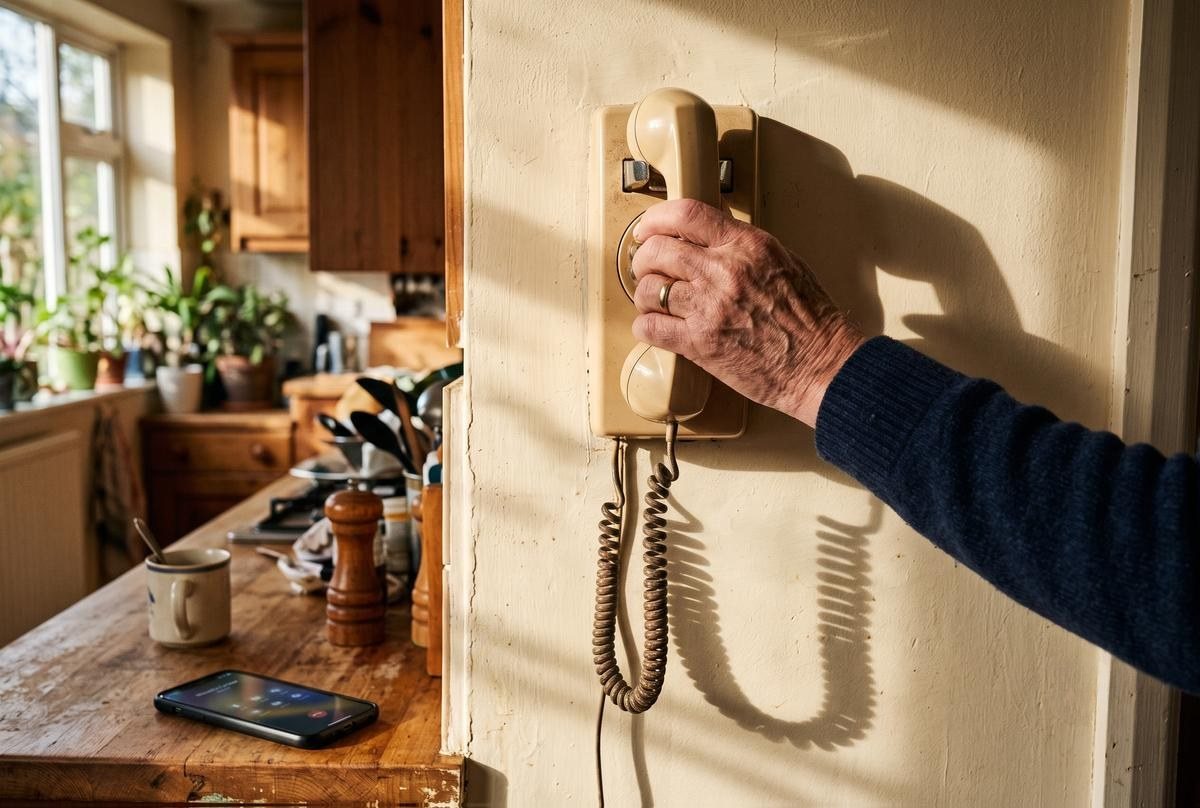
My phone rang four times last Saturday. Not telemarketers. Not the dentist confirming an appointment I'd already confirmed twice. Family.
The first call came at 8:47 AM, before I'd finished my coffee. Frank, who was standing eleven feet away in the kitchen, called from his cell phone to tell me the printer wasn't working. He called me. From inside the house.
"Frank," I said, "I can see you."
"The printer won't print."
"Have you turned it off and back on?"
Silence. The silence of a 74-year-old retired civil engineer who designed bridges for a living and cannot, in the year 2026, figure out how to restart an HP OfficeJet Pro 9015e.
"How do I turn it off?"
I put down my coffee. The coffee was still hot. Want you to know that. Want you to understand what was sacrificed.
The printer was not broken. The printer was out of paper. The paper was in the cabinet directly below the printer, where it has lived since we moved to Scottsdale in 2015. Frank looked at the cabinet. He looked at me. "Oh," he said. And then, with absolutely no shame, "While you're here, can you check why my email looks different?"
His email looked different because he'd accidentally switched to dark mode. Which took me four seconds to fix and Frank four days to notice.
Welcome to my unpaid second career.
How I Got the Job Nobody Posted
Nobody posted a listing. Nobody sent a job description or a W-2. What happened was more gradual and more insidious: somewhere around 2016, one person in the family became willing to push buttons on a screen and see what happens. That person was me. Not because of any technical gift. Because everyone else treats an unfamiliar pop-up window like a bomb threat.
At New Trier, where I taught English for 18 years, the same thing happened with the Smartboard. Nobody else would try it. The IT guy, Kevin, took 45 minutes to respond to a help ticket. So Victoria figured it out, and Victoria became the Smartboard person. Same principle applied at home. Set up the Netflix account in 2018? Streaming person. Helped set up an iPhone for a parent at Thanksgiving? Phone person. Paired Frank's JBL Clip 4 to his phone after twenty minutes of pressing the wrong button because the power button is microscopic? Bluetooth person. Helped my book club friend Marcy reset her iPad after she'd somehow turned on VoiceOver and the whole device was narrating everything she touched in a voice she described as "aggressive"? Everybody's iPad person.
The promotion was instantaneous. The salary was zero.
Thirty-four years of teaching The Great Gatsby. Thirty thousand essays graded. Parent-teacher conferences where a mother once insisted her son's two-paragraph essay about Lord of the Flies demonstrated "creativity." And yet nothing prepared me for the sheer repetition of explaining to my husband, quarterly, what his Apple ID password is.
Victoria's Taxonomy of Family Tech Support Calls
After roughly nine years of this, a classification system has emerged. Every family tech crisis falls into one of five categories. Not four. Not six. Five. Checked and verified.
Category 1: "I Didn't Touch Anything"
They touched everything. They touched things that shouldn't be touchable. Marcy called last month saying her iPad was "in Spanish now" and she hadn't done anything. Drove over, which took fourteen minutes. Sat on her couch. Tapped Settings, then General, then Language & Region. She had, at some unrecorded point, changed the device language to Espanol. "I don't even speak Spanish," she said, as though the iPad should have known that. Fixed it. Ate two of her shortbread cookies. Drove home.
Category 2: "It Was Working Yesterday"
It was not. It has not worked properly since 2023. They've been ignoring a software update notification for nineteen months, and the device is now running iOS 16 in a world that requires iOS 18. The tech equivalent of driving on bald tires and expressing shock when you hydroplane.
Category 3: "My Grandson Set This Up and Now He's at College"
The grandson configured everything at Thanksgiving 2024: the Wi-Fi, the smart TV apps, the Ring doorbell. He did not write anything down. He did not explain anything. He did it in eight minutes while eating pie and now he's in a dorm room in Tempe and the Wi-Fi password is gone forever. Norm, who lives three houses down and is 79, called me about this exact scenario in January. Told him to check the sticker on the bottom of his router. He said, "What's a router?" We were on the phone for forty-five minutes!
Category 4: "The Screen Is Doing a Thing"
The most poetic category. The screen is doing a thing. What thing? A thing. It's blinking. Or zooming. Or showing a message. What does the message say? They don't know, they closed it. Like calling your mechanic and saying "the car is making a noise" and when they ask what noise, you say "a car noise."
Category 5: "Can You Just Do It for Me?"
The final stage. Total surrender. Will you log in to their Medicare account? Change the TV input? Call Comcast because the internet is slow and they refuse to sit on hold?
Yes. Because the alternative is watching someone you love get frustrated to tears over something fixable in six minutes.
But also: no. Not every time. Not anymore.
The Emma Factor
My granddaughter Emma is 14 and operates technology with the fluency of someone who was born holding a touchscreen, which she basically was. Emma works the other shift in the family IT department: she handles Tom and Lisa's devices in Denver while the Scottsdale division falls to me.
Her method differs from mine. Where the Scottsdale division troubleshoots with patience and only mild profanity, Emma troubleshoots with a sigh so heavy it could sink a boat. She once FaceTimed me to help Frank connect his phone to the car's Bluetooth, and her instructions went like this:
"Grandma, tell Grandpa to go to Settings. No, not that settings. The phone settings. No, the — Grandma, can you just take the phone from him?"
Took the phone from him. She walked me through it in ninety seconds. Frank sat in the passenger seat looking straight ahead with the dignified silence of a man whose granddaughter just tech-supported him through his wife as an intermediary.
Emma told me last Thanksgiving, with the exasperated patience of a teenager burdened with forbidden knowledge, that she'd cleaned up Tom's laptop. "Dad had 340 Chrome tabs open," she said. "Three hundred and forty. Some of them were from 2024."
Tom, an insurance adjuster, apparently treats browser tabs the way I treated the New Trier supply closet: everything goes in, nothing comes out, and eventually you just close the door and pretend it's fine.
When to Fix It, When to Teach It, and When to Walk Away
Here's the thing. (Yes, I'm saying it. It's mine.) Nine years of running the family IT department taught me something the actual IT industry figured out decades ago: there's a difference between support and dependency.
If I fix Frank's printer every time, Frank never learns where the paper goes. If I reset Marcy's iPad every month, Marcy never learns to check the Language settings herself. If I call Comcast for Norm, Norm never develops the self-defense skills required to survive a Comcast phone tree, which, frankly, should be covered by Medicare as a cognitive exercise.
Fix it when the person is genuinely stuck and the task is a one-time thing. Syncing a new device. Recovering a hacked email. Setting up two-factor authentication for the first time.
Teach it when the problem recurs. Sit next to them. Make them press the buttons while you narrate. Write the steps on an index card in large print. I have given Frank three index cards: one for restarting the printer, one for switching TV inputs, and one for checking his email on his phone when the "desktop version" loads instead of the app. He keeps them in the drawer next to the coffee maker. He uses them. Not always. But sometimes.
Walk away when you've taught it three times and they're still calling. I love you. I do. But a boundary is not a betrayal. You can call Apple Support at 1-800-275-2275. You can book a free session at the Apple Store Genius Bar. There are genuinely useful free apps that make devices easier to manage, and a handful of AI tools that quietly take over the tedious stuff — voice reminders, scam-call screening, plain-English explainers — so you field fewer of the panicked Saturday calls. You can walk into any Best Buy and ask the Geek Squad for help starting at $49.99 for a one-time consultation. Your local public library almost certainly offers free tech help hours. AARP runs a tech helpline. Senior Planet has free online classes. The resources exist. Using them is not a failure. Calling me at 8:47 AM on a Saturday because the printer is out of paper? You're making a choice.
The Guilt Part (Because There's Always a Guilt Part)
Somebody's going to read this and think I'm heartless. I can feel it.
So let me say the other part. The part underneath the comedy.
Frank calls me about the printer because he trusts me. Because after 47 years, I'm the person who makes confusing things less confusing. Not the internet. Not a 1-800 number. Me. Sitting at the kitchen counter in my bathrobe with my coffee going cold, finding the paper in the cabinet, because I always know where things are and he knows I always know.
Marcy calls because she's 73 and she lives alone and her iPad is the thing connecting her to her grandchildren in Michigan, and when it stops working she doesn't just lose a device, she loses the window. The FaceTime calls. The photos. The proof that people are thinking about her on a random Wednesday.
Norm calls because his wife Gayle handled all the technology in their house, and Gayle passed two years ago, and now every unfamiliar screen is a reminder that the person who used to explain things is gone.
All of this, I know. What the tech support calls are really about, underneath the printer paper and the Roku batteries.
So I answer. Every time. Even at 8:47 AM. Even when the coffee is hot and the morning is mine and the patio is perfect and I'd rather be reading the mystery novel on my nightstand than diagnosing why Norm's Roku remote isn't responding. (The batteries, Norm. It's always the batteries.)
But answering every call and setting every boundary aren't opposites. You can do both. You pick up the phone because you love them. You teach them to check the paper tray because you love them enough to want them to manage without you someday. Because you won't always be here to fix it, and that's the sentence I don't like writing, but there it is.
Resources for When You're Ready to Delegate
Real places. Real help. None of them are your daughter-in-law.
Apple Store Genius Bar: Free. Walk in or book at apple.com/retail. The Scottsdale Quarter location has been excellent the four times we've gone, three of which were for Frank.
Best Buy Geek Squad: $49.99 for a one-time consultation. $199.99/year for Total Tech membership with unlimited support and a 24/7 phone line.
AARP Tech Support: Free for members through the AARP digital skills portal. Webinars, articles, and a helpline designed for adults who want to learn without being patronized.
Senior Planet (powered by OATS): Free classes on smartphones, tablets, video calling, and online safety. In-person locations in New York, Colorado, Maryland, and Texas, plus virtual options everywhere.
Your public library: The Scottsdale Public Library runs free one-on-one tech sessions every Thursday. Most library systems offer something similar. Call yours.
GetSetUp.io: Live classes taught by peers over 55. Zoom basics to smartphone photography. Nobody sighs at you.
The Resignation Letter I'll Never Send
Fourth call on Saturday came at 6:40 PM. Carrie, from Chicago, FaceTiming to show me that Lily, who is seven, had changed the wallpaper on Daniel's phone to a photo of their dog's face zoomed in so close it looked like a furry crime scene. Not a tech problem. Just Carrie sharing a moment. Lily waved at me from behind Carrie's shoulder and yelled, "Grandma, I know how to use Daddy's phone better than Daddy!"
She does. She absolutely does.
I'm not resigning. Obviously. You don't resign from being the person who knows things. You don't get to stop being competent just because it's inconvenient. And honestly? Somewhere between Frank's printer and Norm's router and Marcy's iPad in Spanish, I realized something I hadn't expected: being needed is its own weird kind of privilege. Exhausting, unpaid, occasionally maddening privilege. But privilege.
My mother Dorothy never had this problem. Her most advanced technology was the VCR, and she taped over my father's football games with Murder, She Wrote episodes and never apologized. Nobody called Dorothy for tech support. Nobody would have dared.
I think she would have been good at it, though. She had the patience. She had the sharp tongue. She had the ability to look at a person struggling with something obvious and say, with love and zero pity, "Honey, it's the paper tray."
Monday morning. Coffee first. Then I'm going to teach Frank — one more time — how to check the printer paper. Index card number four. And if he calls me next Saturday at 8:47 AM instead of checking the card, I will answer, because that's who I am.
But I'm finishing my coffee first.